

Features
Learn P2PAgri Step by Step with Guided Walkthroughs
You don't need a manual or a spare weekend to learn P2PAgri. Built-in walkthroughs take you through every screen, one step at a time, using your own farm data. Most farmers are entering real numbers within minutes of signing up.
Is Farm Management Software Hard to Learn?
It doesn't have to be. The most common reason farmers put off farm management software is the worry that it will take weeks to learn. P2PAgri gets around that with walkthroughs built into the platform itself. There's no reading instructions and then hunting for the right screen: the walkthrough points at the actual button, waits for you, and moves on when you're ready.
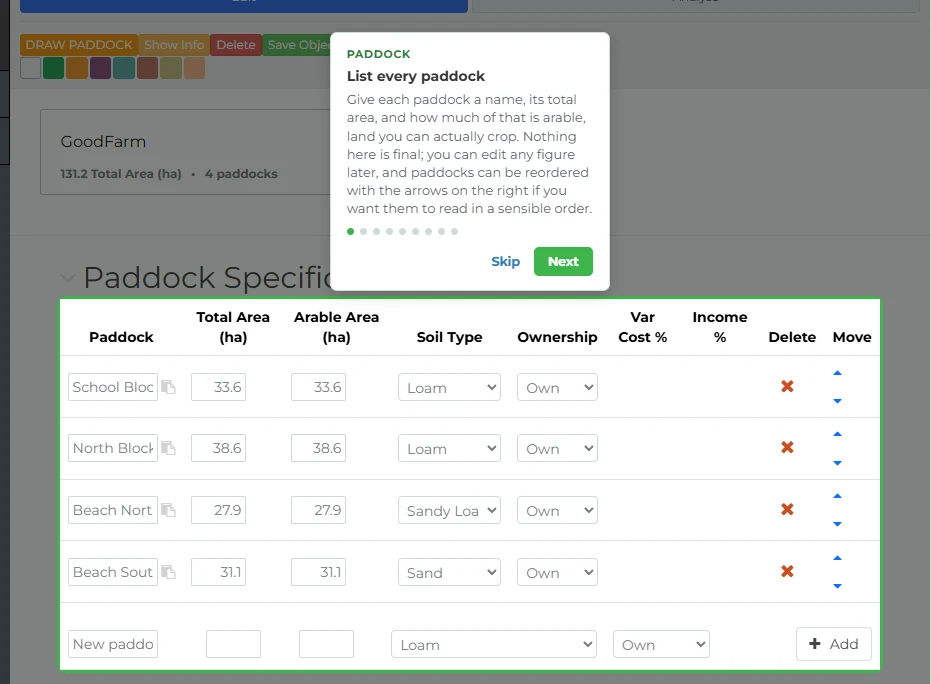
Start with a Tour of the Platform
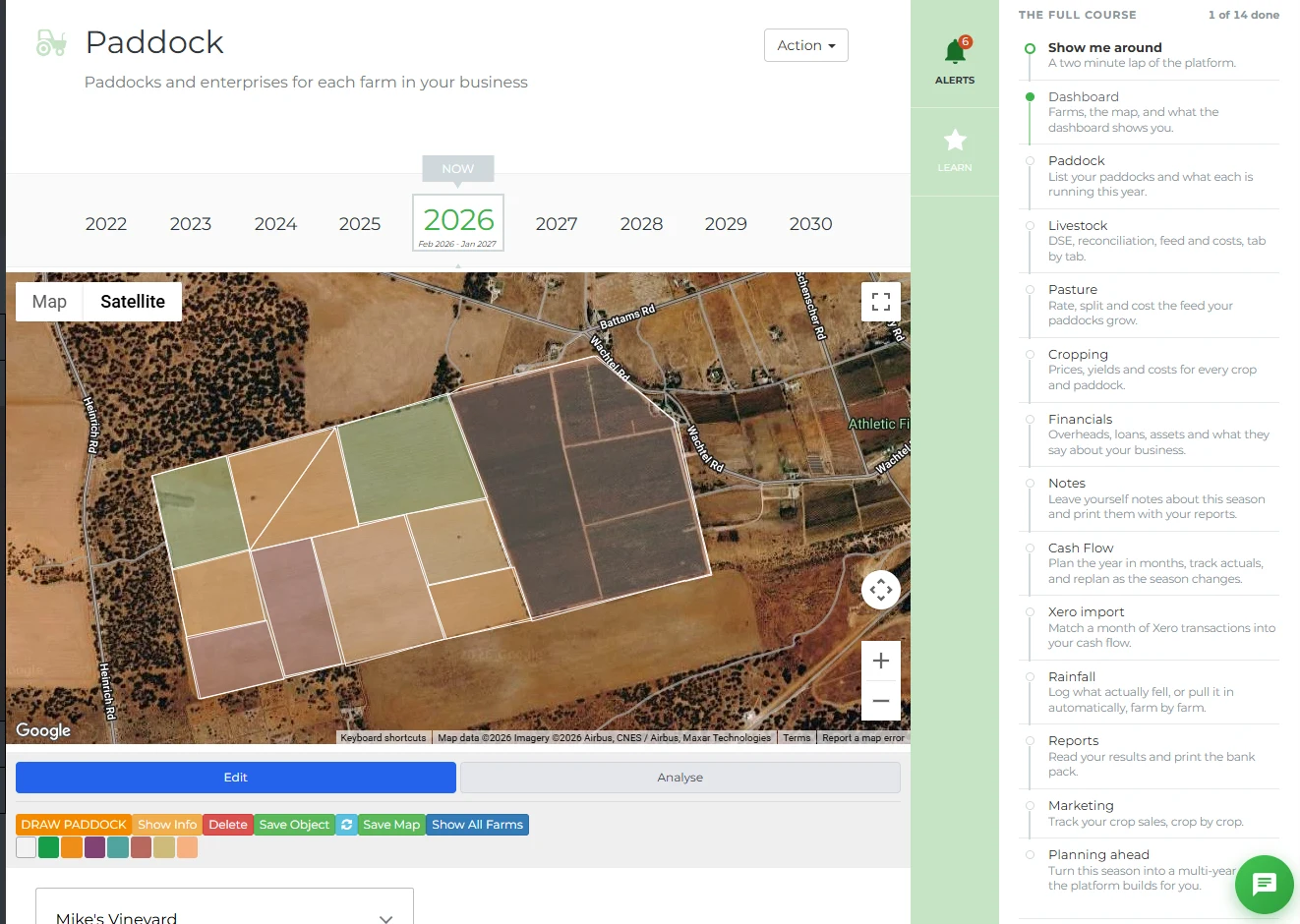
The first time you log in, P2PAgri offers you a choice: watch the tutorial videos, or take a hands-on tour. The orientation tour points out the main areas of the platform so you know where everything lives before you enter a single number. There's a tailored version for free Essentials accounts too.
Set Up Your First Year, Step by Step
The 'Set up your first year' walkthrough guides you through your entire first-year setup. It has separate paths depending on how you want to bring your figures in: connect to Xero and the walkthrough teaches the real import flow, or enter your figures manually and it guides you through that instead.
The Xero path even survives the trip to Xero's website. Connect your account, come back, and the walkthrough picks up exactly where it left off, showing you how to review and save the imported figures.
A Walkthrough for Every Screen
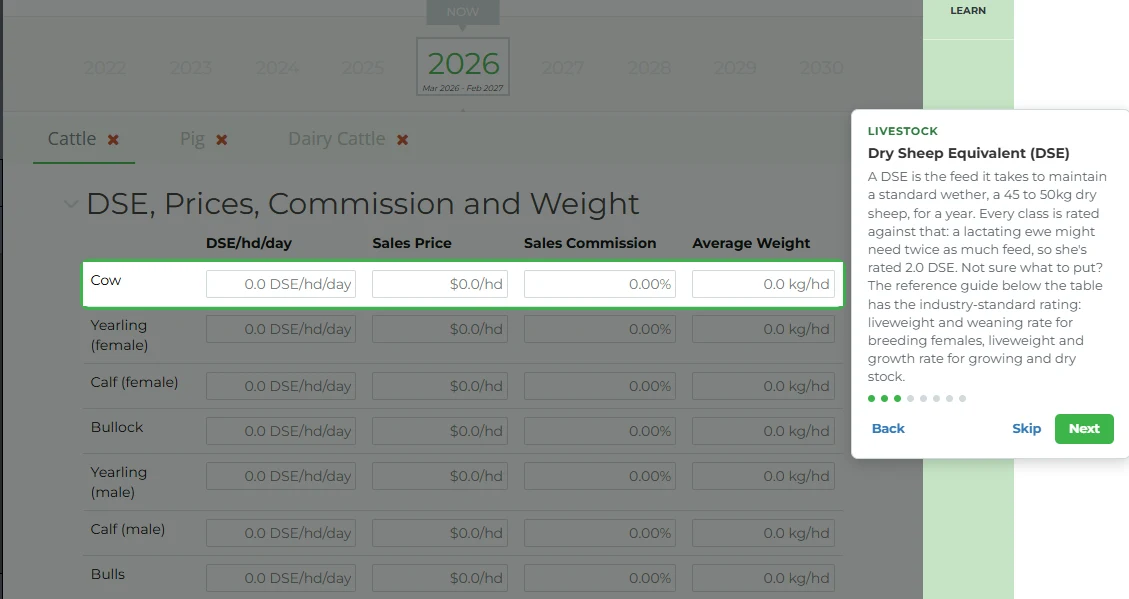
Beyond first-year setup, P2PAgri includes a hands-on walkthrough for every major screen: Dashboard, Paddocks, Livestock, Pasture, Cropping, Financials, Notes, Cash Flow, Rainfall, Reports and Marketing, plus Future planning, Scenarios, and a Planning-ahead walkthrough that covers the whole forward-planning workflow.
Each walkthrough teaches the screen you're on using your own data. If you haven't entered data for a screen yet, the walkthrough still works, teaching you what the screen does so you're ready when you get there.
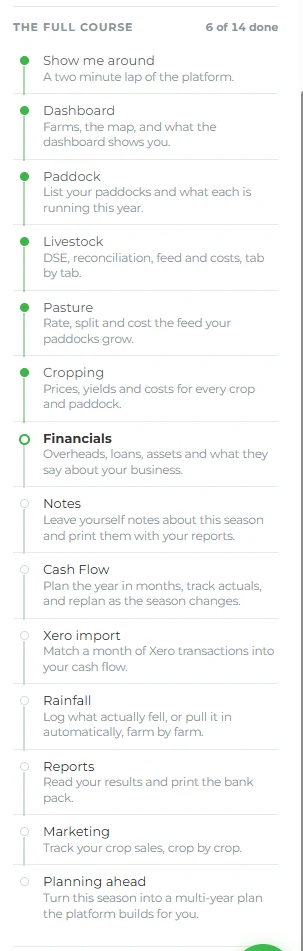
Track Your Progress Through the Course
Walkthroughs are organised into a course catalogue with progress ticks, so you can see what you've covered and what's left. Finish one walkthrough and P2PAgri offers you the next, so working through the whole platform feels like a short course rather than a chore.
Help That Follows You Around
The Learn panel sits on the right of every screen. It shows help for the screen you're currently on, a button to launch that screen's walkthrough, the full course catalogue with your progress, and step-by-step cycle guides. Wherever you are in P2PAgri, help for that exact screen is one click away.
Repeat Any Walkthrough, Any Time
Haven't touched the Cash Flow screen since seeding? Relaunch its walkthrough from the Learn panel and refresh your memory in a couple of minutes. Walkthroughs work on phones and tablets too, so you can learn wherever you are.
Get Started
Guided walkthroughs are included on every plan, including the free Essentials plan. Sign up and the platform will walk you through it from your very first login.
FAQ
Frequently Asked Questions
Most farmers complete the orientation tour and first-year setup walkthrough in their first session. The full walkthrough course covers every screen in the platform, and you can work through it at your own pace, with progress ticks showing what you've done.
No. The guided walkthroughs are built into the platform and start the first time you log in. One-on-one Zoom training is also available free of charge if you'd like a person to walk you through it as well.
You can relaunch any walkthrough at any time from the Learn panel's course catalogue. The Xero import walkthrough even resumes automatically after you return from connecting your Xero account.
Yes. Every walkthrough works on a brand-new, empty account. Where a step would normally point at your data, it teaches you the screen with guidance instead, so you learn what everything does before you need it.
Yes, and it's a great way to look at P2PAgri. The demo farm's tables and reports are already filled with real farm data, so you get the best of both worlds: a guided overview of the platform and a proper look at its reporting capability, all at once.
Yes. Walkthroughs work on phones and tablets, with the navigation opening and closing as each step needs it.
Explore More
Key Capabilities for Your Farm Business
Get More Insight from Your Farm Business Data
Training Videos
There are over 50 short training videos on board P2PAgri, showing you the information in the software right where you ne...
Learn moreFarm Business Financial Training & Support
Farm Financial Training & Support
Make confident, numbers-based decisions without becoming an accountant. Our practical training and ongoing support helps...
Learn moreGet More Insight from Your Farm Business Data
AI Assistant
P2PAgri includes a built-in AI assistant that understands farm finance. Ask questions in plain English, get help sorting...
Learn moreFarm Financial Planning & Cash Flow
Cash Flow Planning
Cash flow is the lifeblood of every farm business. A bumper harvest means nothing if you can't meet your repayments in J...
Learn more