
Features
Map Your Paddocks and Analyse Profitability Across Your Farm
P2PAgri’s farm mapping tool uses Google Maps satellite imagery to let you draw your paddock boundaries, calculate areas, and analyse paddock profitability - all from your browser.
How Do I Map My Paddocks and Track Land Use?
Knowing exactly what land you have, how it's used, and what each paddock produces is the foundation of good farm planning. P2PAgri lets you draw your paddocks on satellite imagery, automatically calculate hectares, classify soil types, and track ownership and arable status across multiple farms.
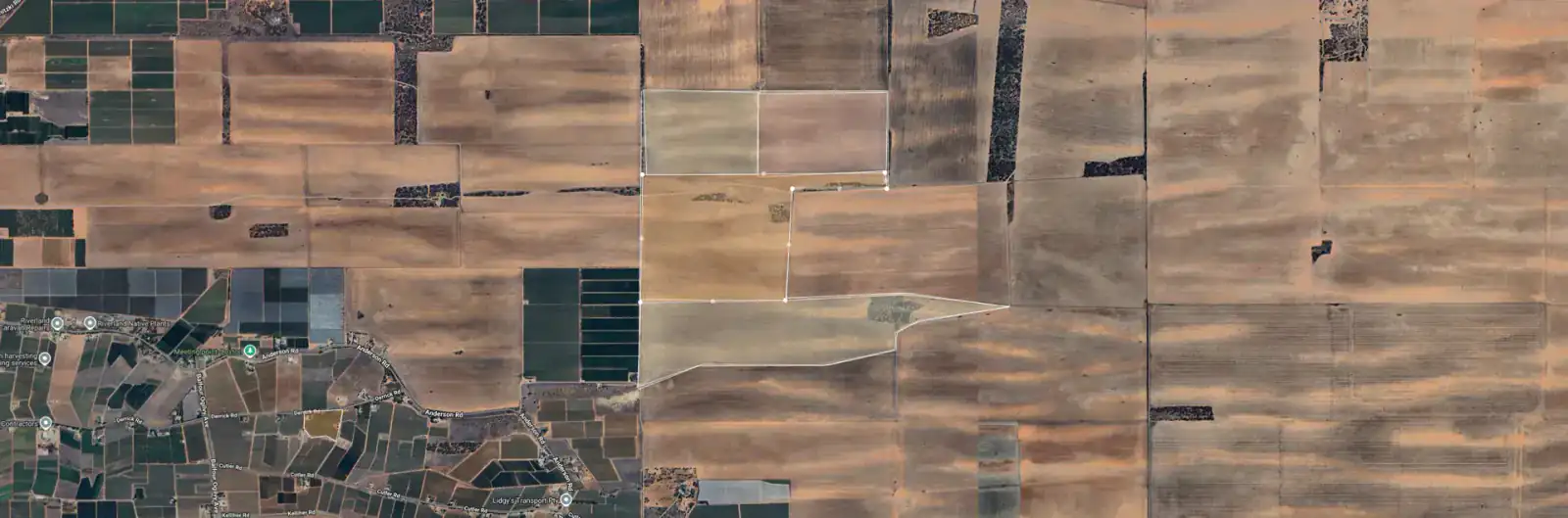
Draw Your Paddocks on a Real Map
Using Google Maps' drawing tools, click to outline each paddock boundary on satellite imagery of your actual property. No special software needed, just your web browser. See your farm layout with real imagery underneath.
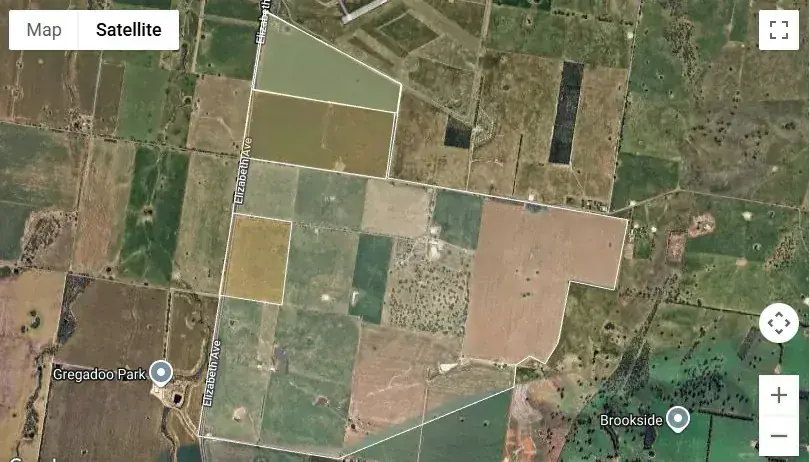
Already Mapped Elsewhere? Import Your Paddocks
If your paddocks already exist in Agworld, Back Paddock, Google Earth or on a yield map, there is no need to draw them again. Export them as a shapefile, KML, KMZ or GeoJSON file and import the lot, boundaries, names and hectares included.
Automatic Hectare Calculation
As you draw a paddock boundary, P2PAgri automatically calculates the area in hectares. Your paddock areas flow directly into per-hectare calculations across the whole platform, gross margins, stocking rates, variable costs, and more.
Soil Type Classification
Assign a soil type to each paddock from 10 standard classifications: loam, sandy loam, loamy sand, sand, rubble, gravel, clay, clay loam, heavy clay, and sandy calcareous. Understanding soil type by paddock helps explain productivity differences.
Land Ownership & Arable Tracking
Track which land you own, lease, or sharefarm. Each paddock carries its ownership type, and financial reports automatically adjust. Mark paddocks as non-arable so your per-hectare figures reflect reality, especially important for mixed farms.
Multi-Farm Support
Run multiple properties? Each farm gets its own map with its own paddocks. Manage them all under the one business and assess the financial performance of each farm. P2PAgri handles both.
Analyse Paddock Profitability at a Glance
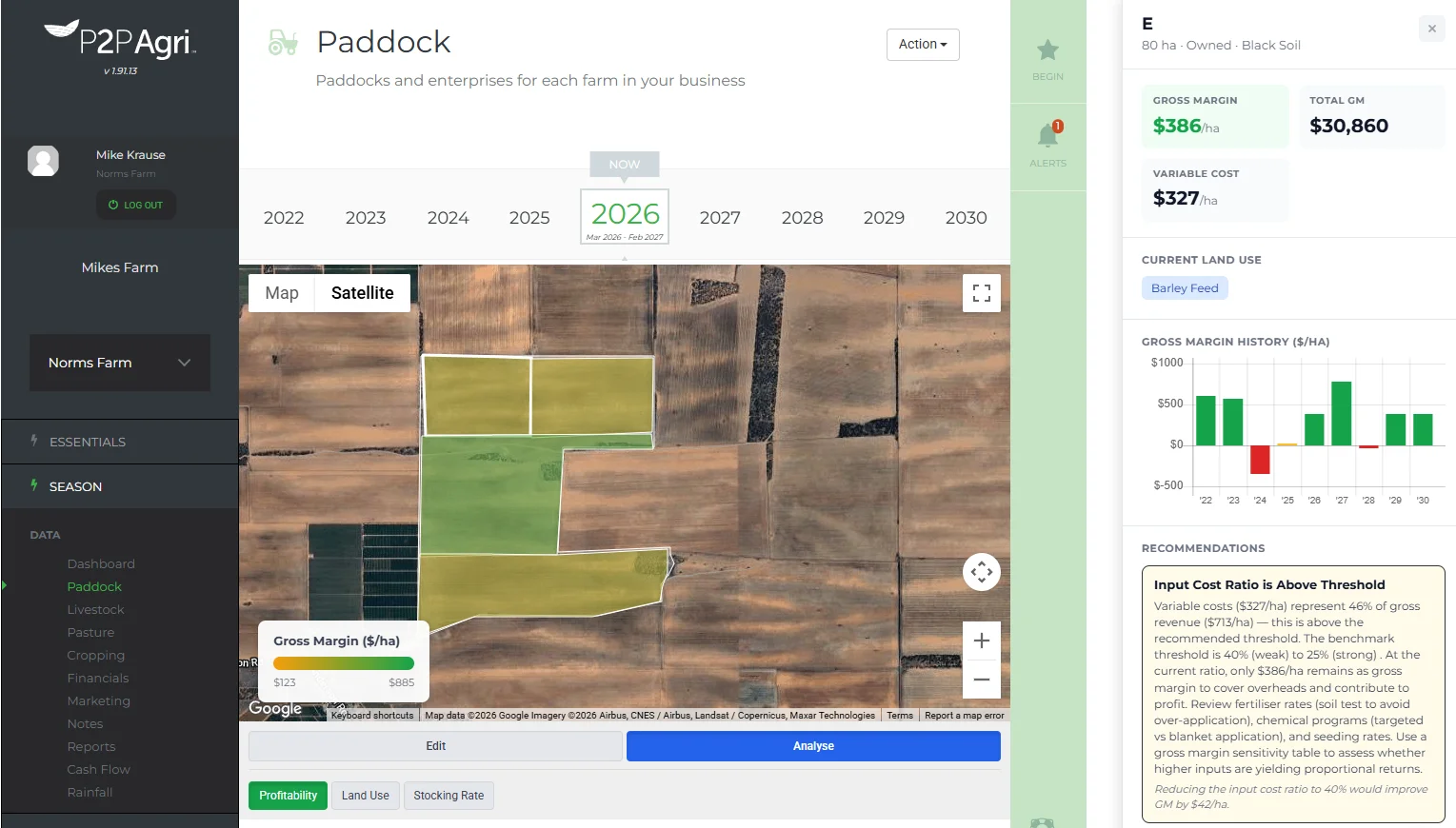
Switch to Analyse mode and your paddock map transforms into a visual profitability dashboard. Each paddock is colour-coded from red (loss) through amber (breakeven) to green (profit) based on its Gross Margin per hectare. Instantly identify which paddocks are performing and which need attention - without opening a single spreadsheet.
Use the profitability overlay to prioritise which paddocks to review at budget time, compare performance before and after a management change, or quickly brief your adviser on where the business stands.
Visualise Stocking Rates Across Your Property
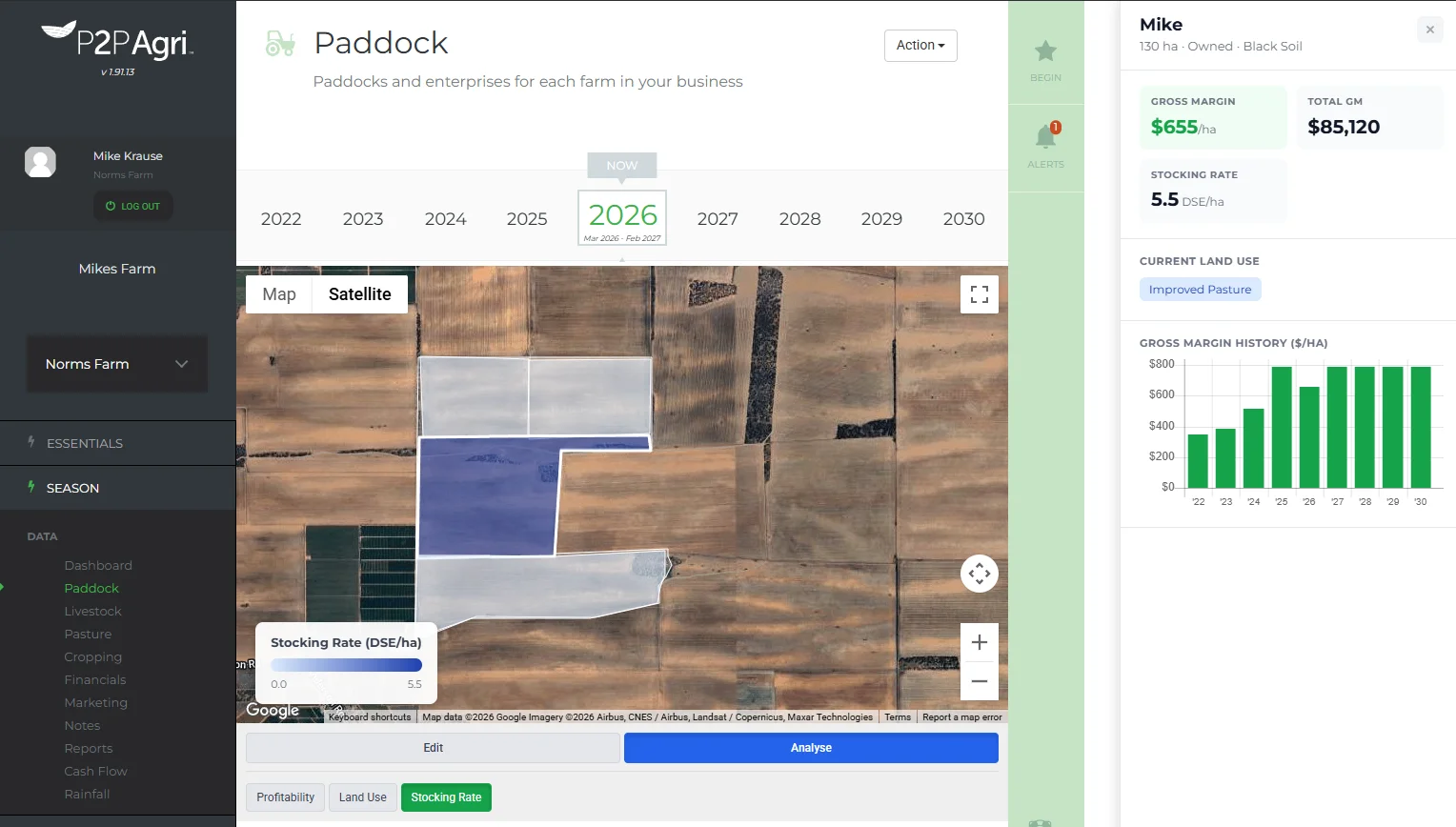
Toggle the Stocking Rate overlay to see DSE per hectare mapped across your pasture paddocks. A light-to-dark blue gradient shows stocking intensity at a glance - helping you spot understocked paddocks, compare carrying capacity across soil types, and make better grazing decisions.
See Land Use Patterns Across Your Farm
The Land Use overlay colours each paddock by its current enterprise - wheat, canola, native pasture, improved pasture, and more. See your whole farm's land use allocation on one map to identify rotation opportunities, track diversification, and plan ahead.
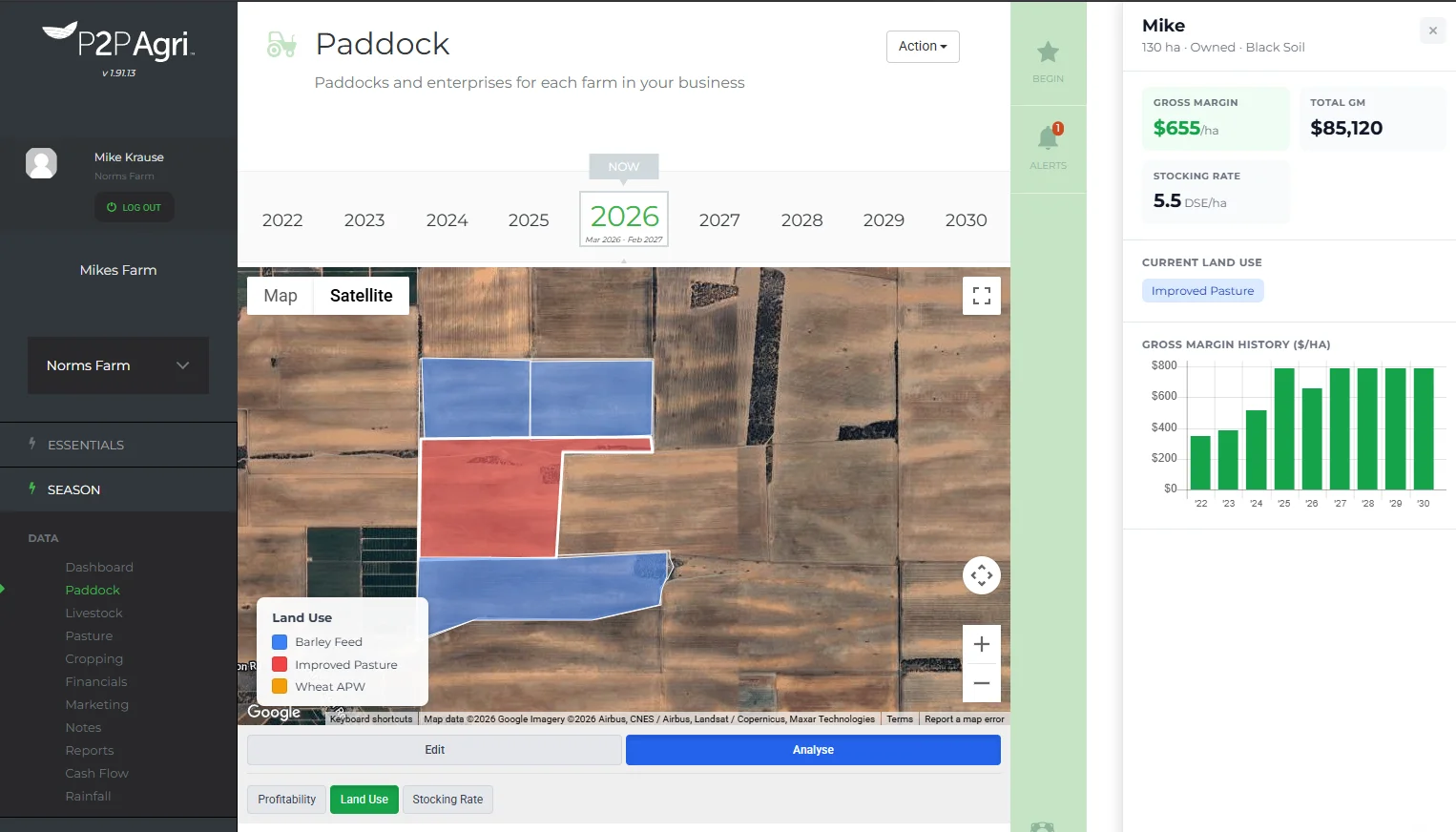
Click Any Paddock for the Full Picture
Click on any paddock in Analyse mode to open a detailed panel with everything you need to assess that paddock's performance:
- Gross Margin per hectare and total - colour-coded by performance
- Variable Cost per hectare (crop paddocks) or Stocking Rate DSE/ha (pasture paddocks)
- Current Land Use tags
- Paddock details - hectares, ownership type, soil type
- Gross Margin History - a bar chart showing profitability across reporting periods
- Recommendations - prioritised suggestions to improve paddock performance
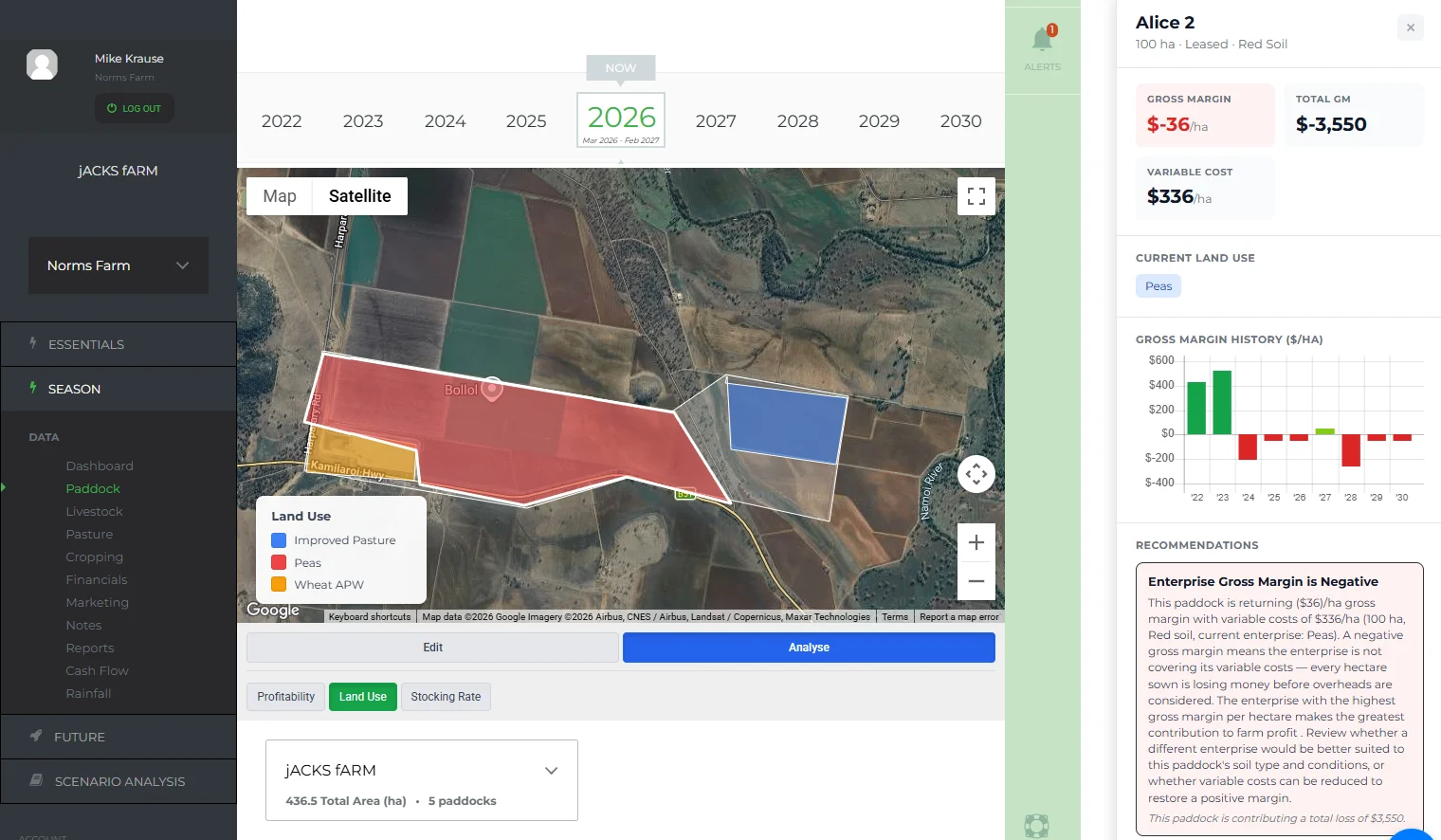
Smart Recommendations for Every Paddock
P2PAgri analyses your paddock data and surfaces prioritised recommendations - flagged by urgency (high, medium, low). These insights help you focus on the paddocks and decisions that will have the biggest impact on your bottom line, without needing to dig through reports.
For example, P2PAgri might flag that a paddock's gross margin has declined over three reporting periods and suggest reviewing input costs or enterprise allocation. Or it might highlight an understocked pasture paddock where increasing carrying capacity could lift returns.
Get Started
Farm mapping is available on the Seasonal plan. Start with the free Essentials plan and upgrade when you're ready.
FAQ
Frequently Asked Questions
No. The farm mapping tool runs in your web browser using Google Maps. You just need an internet connection and a modern browser (Chrome, Firefox, Edge, or Safari).
The accuracy depends on how carefully you draw your paddock boundaries on the satellite imagery. For most farm planning purposes, the calculated areas are more than accurate enough. You can also manually adjust areas if you have survey data.
Yes. You can edit, reshape, or delete paddock boundaries at any time. If you subdivide a paddock or change your layout, just update the map and P2PAgri recalculates the areas.
Yes. P2PAgri imports paddock boundaries from shapefile, KML, KMZ and GeoJSON files. See the Paddock Import feature page for the supported programs and the steps.
The satellite imagery comes from Google Maps and is updated periodically by Google. P2PAgri always uses the latest available imagery for your location.
The profitability overlay colours each paddock based on its Gross Margin per hectare. Green paddocks are profitable, amber are near breakeven, and red are making a loss. It gives you an instant visual snapshot of where your farm is making and losing money.
Livestock gross margins are proportioned to each pasture paddock based on its share of total DSE (Dry Sheep Equivalent) supply. Paddocks with higher-quality pasture types that support more stock per hectare receive a proportionally higher gross margin - reflecting their true contribution to the livestock enterprise.
Clicking a paddock in Analyse mode opens a detail panel showing gross margin per hectare, total gross margin, variable costs or stocking rate, current land use, soil type, ownership, and a historical profitability chart. You'll also see prioritised recommendations for improving that paddock's performance.
Yes. Each paddock's detail panel includes a Gross Margin History bar chart that shows profitability across your reporting periods. This makes it easy to spot trends, see the impact of management changes, and compare how individual paddocks have performed over time.
Explore More
Key Capabilities for Your Farm Business
Map Your Paddocks & Track Your Rainfall
Paddock Import
Your paddocks are already mapped in Agworld, Back Paddock, Google Earth or on a yield map from your agronomist. Don't dr...
Learn moreMap Your Paddocks & Track Your Rainfall
Rainfall & Weather Tracking
Rainfall drives crop yield, pasture growth, stocking rates and cash flow. P2PAgri tells you where this season ranks agai...
Learn moreImprove Profitability for Livestock & Pasture
Pasture Management
Are you running at the right stocking rate? Too many stock and you degrade your pastures. Too few and you're leaving mon...
Learn moreOptimise Crop Profitability
Crop Gross Margin Analysis
Knowing your gross margin per hectare is the foundation of every cropping decision. Which paddocks are earning their pla...
Learn moreFarm Financial Planning & Cash Flow
Farm Business Dashboard
One screen that shows you how your farm business is tracking. P2PAgri's dashboard is your command centre, key metrics, v...
Learn moreImprove Profitability for Livestock & Pasture
Livestock Management
Whether you run cattle, sheep, a feedlot, or a mixed enterprise, P2PAgri tracks the numbers that matter: head counts, gr...
Learn more